

01
Know What Is Truly Yours To Spend.
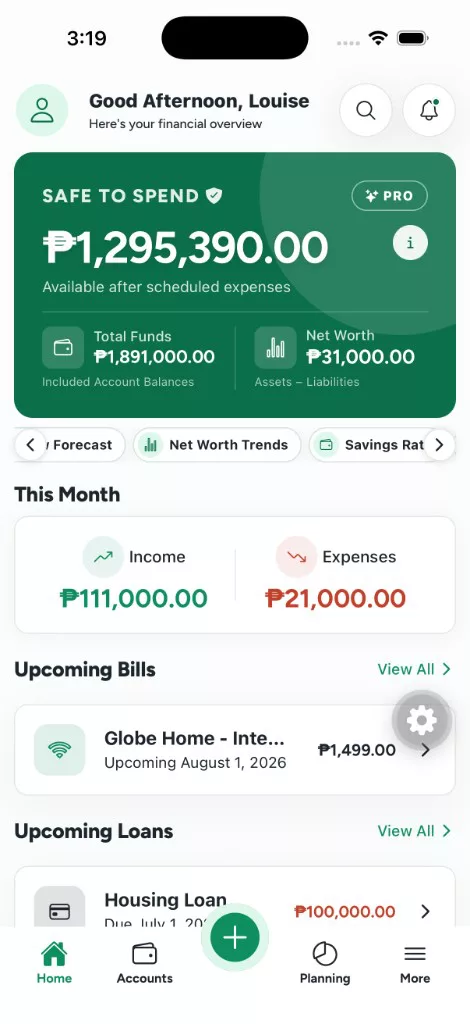
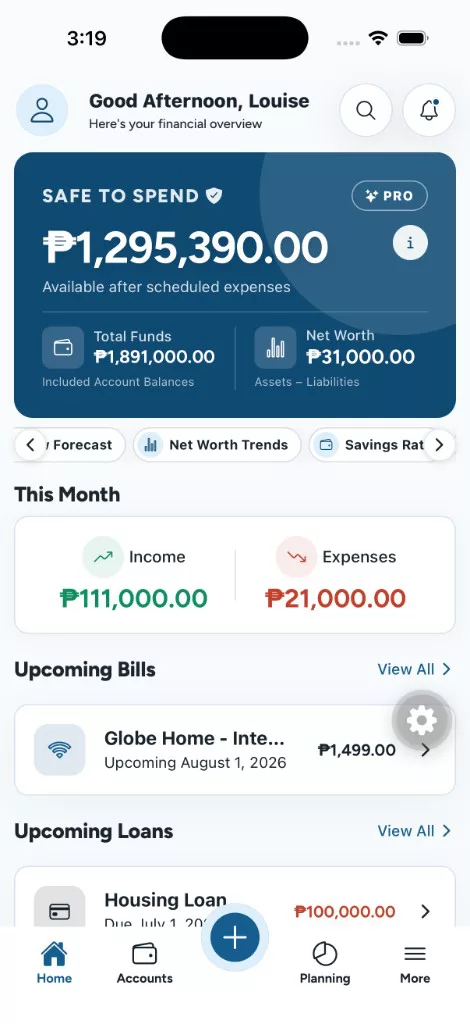
See your available liquid money after reserved goals, upcoming bills, loan payments, and remaining monthly budget commitments.
Local First Personal Finance
WorthBook brings accounts, spending, budgets, goals, bills, loans, money you lend out, investments, and net worth into one private money dashboard. See what you have, what is coming, and what is safe to spend.
One Money Home
Record a transaction once and WorthBook updates the related balances, budgets, goals, reports, and dashboard.
See your available liquid money after reserved goals, upcoming bills, loan payments, and remaining monthly budget commitments.
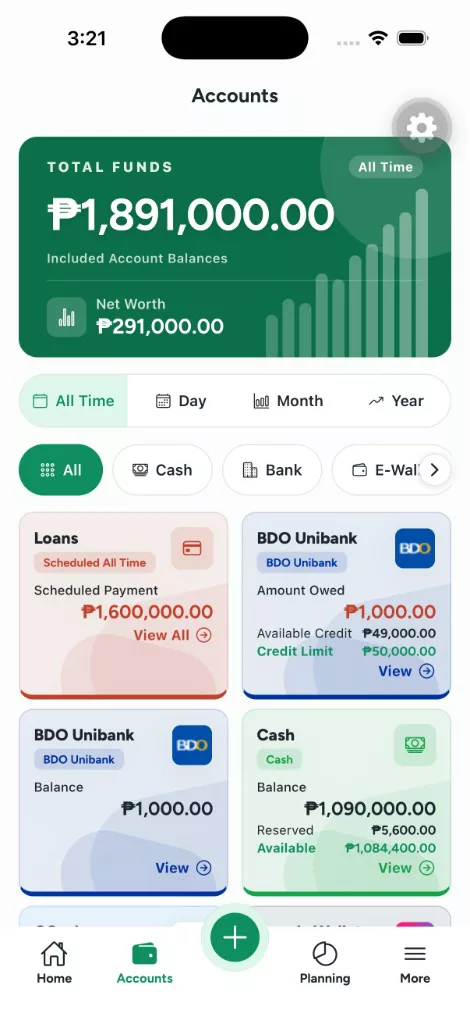
Track cash, banks, e wallets, savings, credit cards with supplementary cards, investments, loans, and money you have lent out.
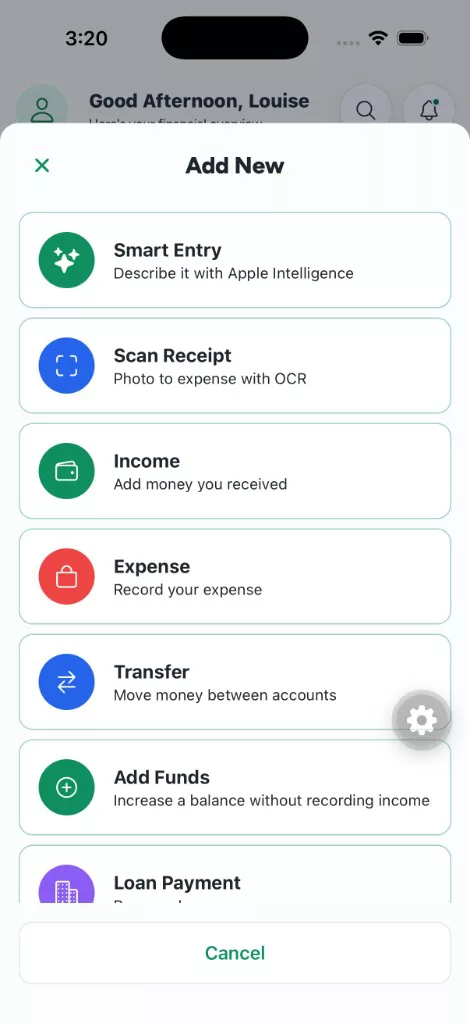
Add income, expenses, transfers, funds, and loan payments manually, or use Smart Entry and on device receipt scanning.
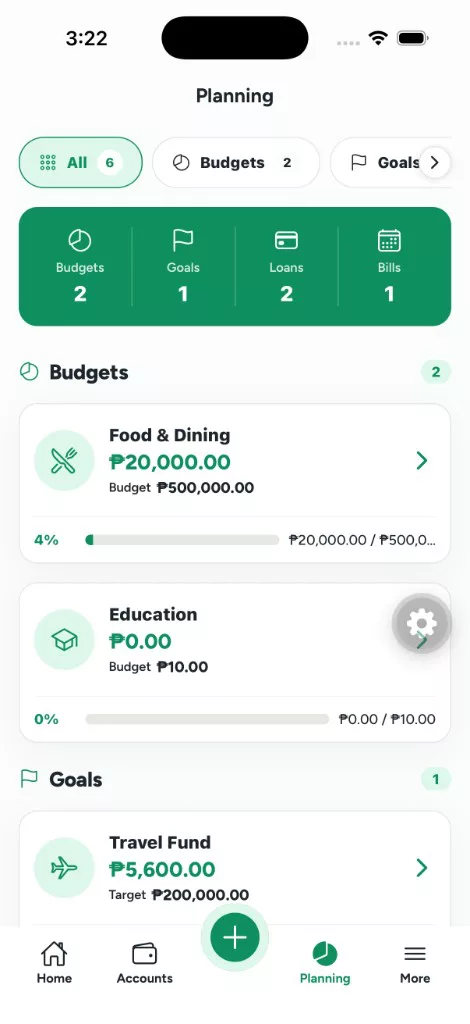
Build category budgets, fund savings goals, track Money Lent, manage recurring bills, follow loan schedules, and keep due dates on one calendar. Current and completed tabs keep finished plans out of the way.
Money Lent records who borrowed from you, the interest agreed, and every collection, with to collect, defaulted, and completed views.
Ask questions about cash flow, spending, budgets, goals, bills, and loans, and get answers built from the records already on your phone.
Inside WorthBook
Move naturally from the accounts you own to the plans you are building and the progress behind them.
WorthBook Pro
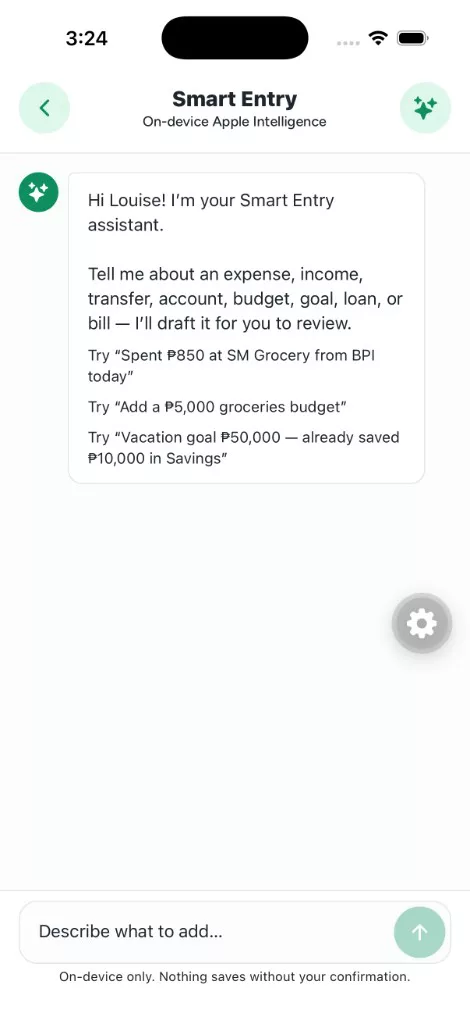
Smart Entry uses on-device AI to turn everyday language into a draft for transactions, accounts, budgets, goals, loans, or bills. Review every detail before anything is saved.
On-device AI and local receipt scanning are available on supported devices. Ask WorthBook answers are calculated from totals on your phone, and your transactions are never uploaded.
From Records To Direction
Move beyond balances with reports for cash flow, forecasts, net worth, savings rate, spending mix, and lending, plus a debt payoff planner that shows how extra payments change your timeline.
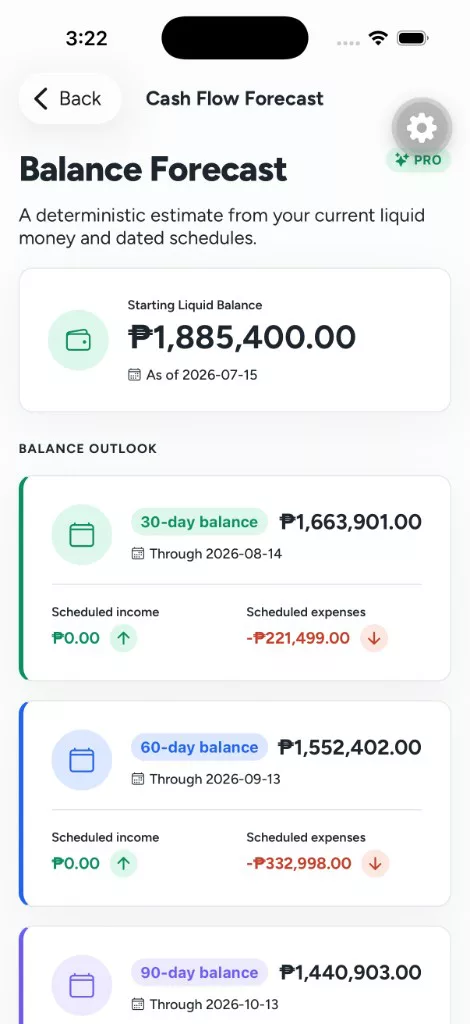
Project your balance from recurring income, bills, and scheduled loan payments, and make changes with more confidence.
Follow twelve months of assets, liabilities, and Net Worth History so progress is visible, not buried in balances.
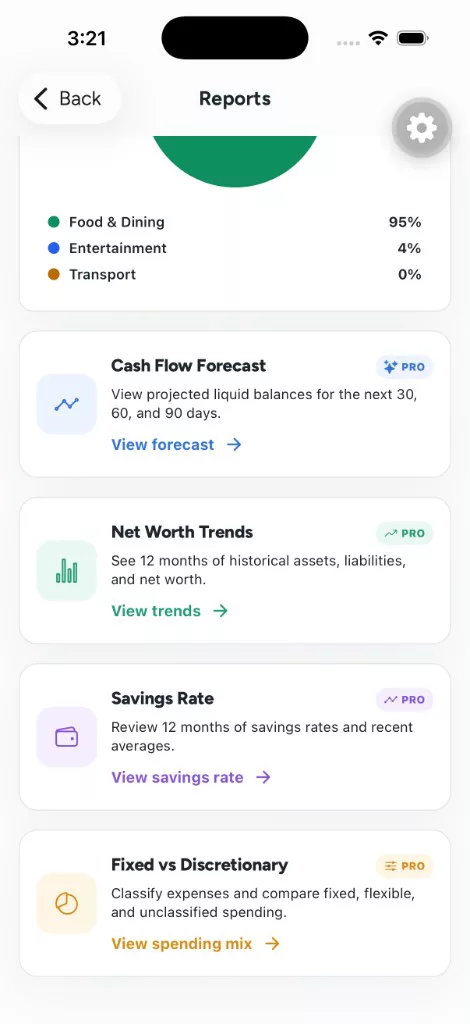
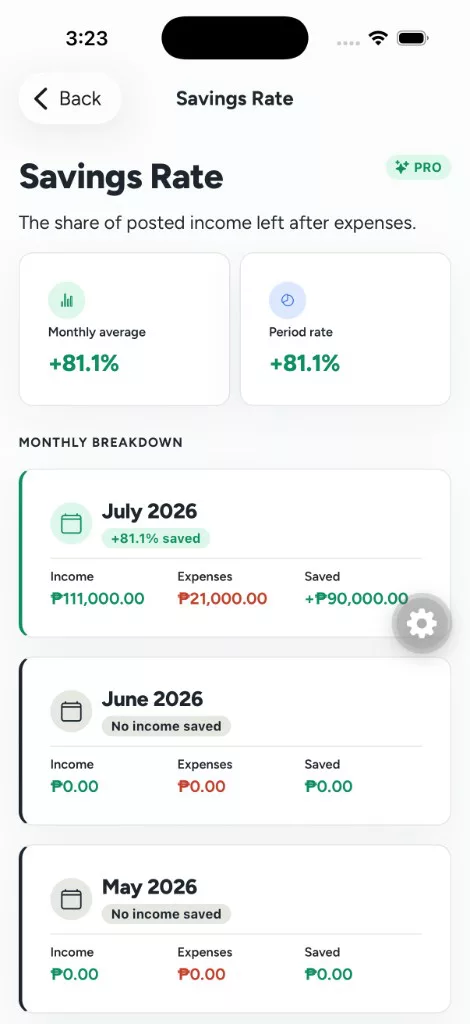
Compare posted income against expenses over time so saving habits stay grounded in your real records.
Classify expenses as fixed, discretionary, or unclassified, then compare periods so budget decisions stay grounded.
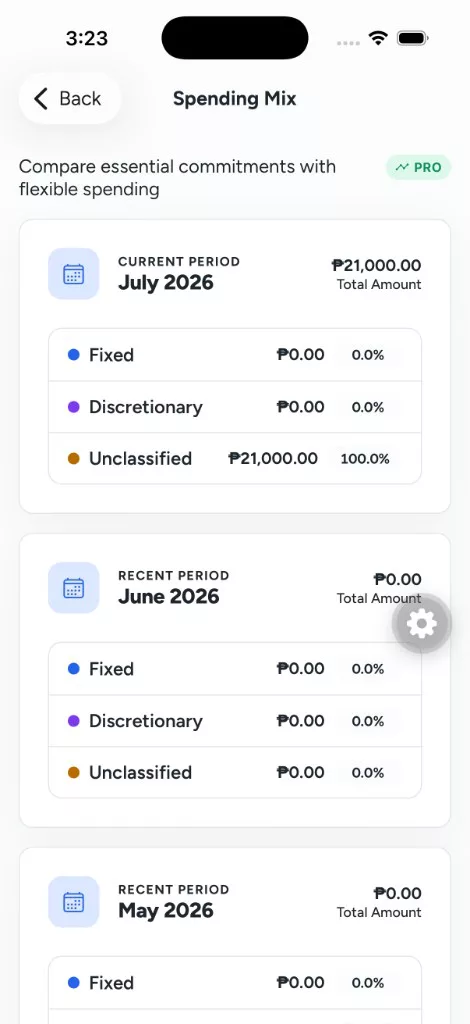
Forecasts and payoff estimates are deterministic projections from your tracked balances and schedules, not guaranteed outcomes.
Upcoming
Status: Planned
WorthBook is expanding for small business owners who want clearer business money tracking without leaving their personal finance home. Turn on Business when you need it. Personal finance stays the default, and your data stays on your phone.
A Settings toggle keeps Business off by default. When you turn it on, Personal and Business lenses appear so household money and business money stay clearly separate. Turn it off anytime and your business records stay saved until you need them again.
This is business money tracking, not full accounting. No payroll, inventory ERP, VAT filing, or multi-user firm books.
Local First
WorthBook is private by default. Your financial records live on your device. It does not connect to your bank, sell personal and sensitive user data, show ads, or track you across apps. Optional Location spending reminders use location on your device only if you turn them on. The app may also request reference exchange rates for Pro currencies — your accounts and transactions are never sent. Read the full Privacy Policy and User Privacy Choices.
Personalization
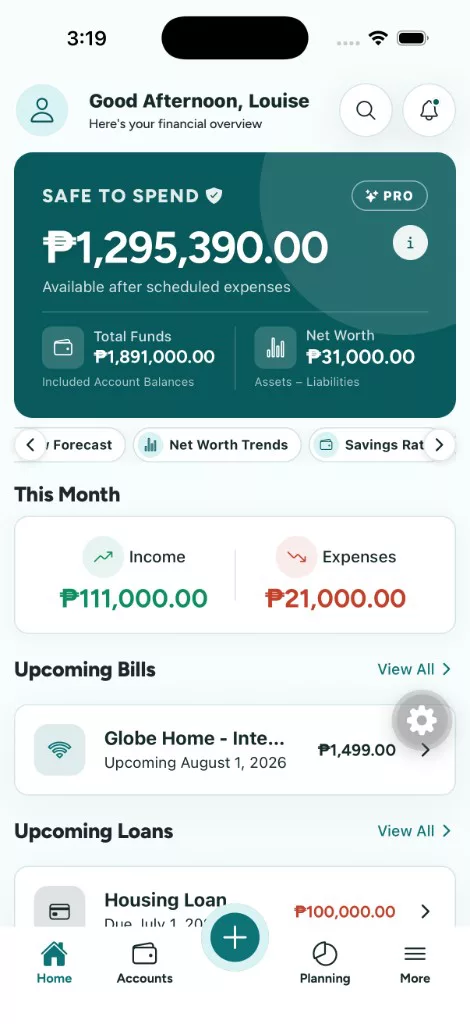
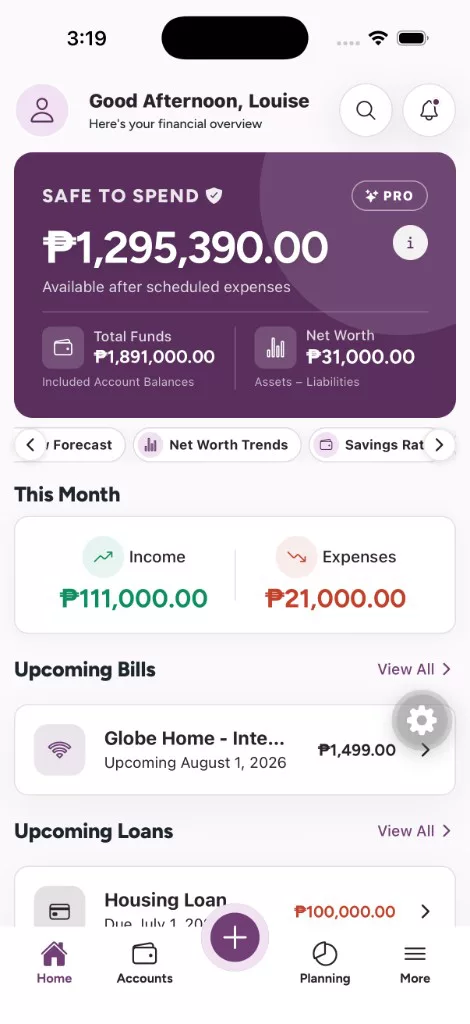
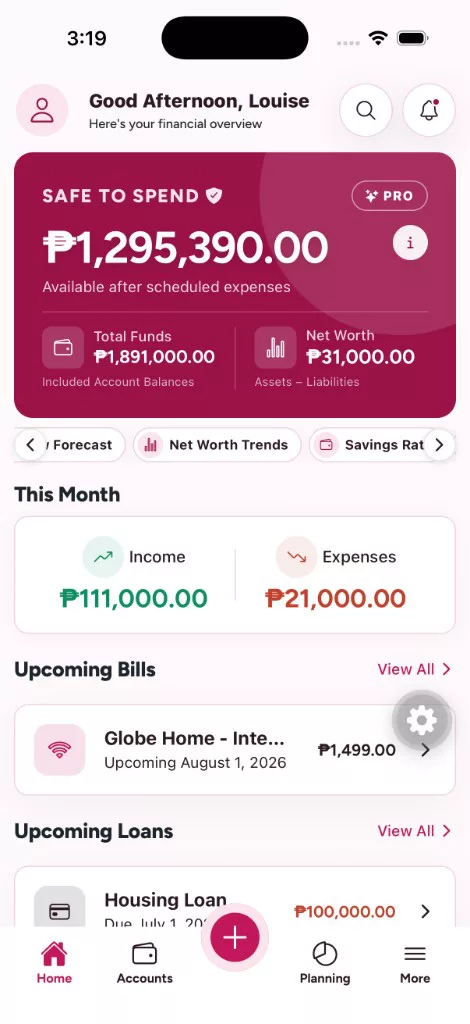
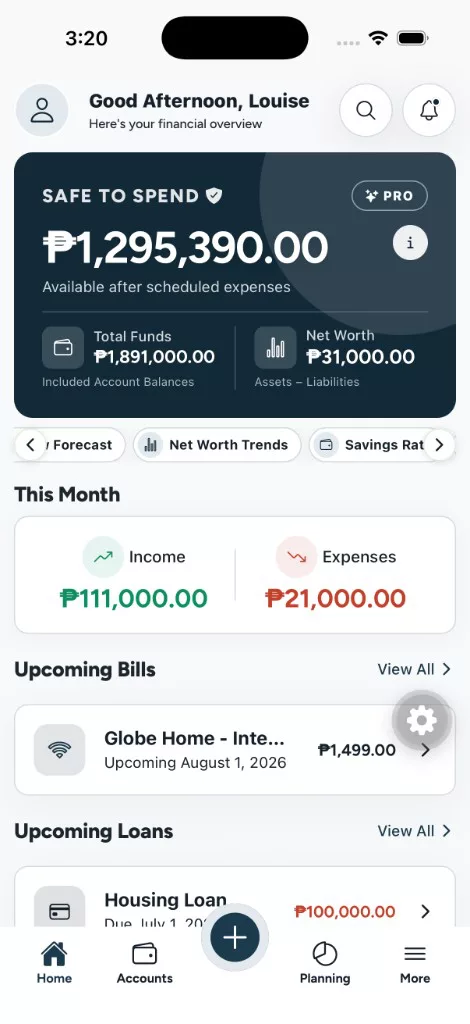
Choose from seven application wide themes, switch between comfortable and compact density, pick a header style, and rearrange optional home sections.
WorthBook Pro
Pay once for Pro Lifetime. No recurring billing. Unlock the faster workflows and deeper insights when you need them.
Track accounts, spending, budgets, goals, bills, loans, Money Lent, investments, calendar, search, reminders, App Lock, and your home dashboard with PHP and THB. No entry limits.
Smart drafts are reviewable. Forecasts are estimates from your records. WorthBook connects to an external API only to update exchange rates. Nothing posts without your confirmation.
Pro Lifetime uses the App Store or Google Play price for your region. Restore purchases anytime on the same store account.
Questions, Answered
Have another question? Email the WorthBook team.
WorthBook is available now on the App Store for iPhone and iPad, and on Google Play for Android.
Not yet. Business support is on the roadmap for small business owners who want business money tracking alongside personal finance. It will be opt in, keep personal finance as the default, and stay local first. Planned pieces include multiple business profiles, clients and invoice stubs, equipment and vehicle tracking, and profit lite analytics.
Accounts, cash, e wallets, savings, credit cards, transactions, budgets, goals, bills, loans, Money Lent, investments such as stocks, crypto, gold, funds, MP2, and time deposits, recurring schedules, calendar due dates, and reports including cash flow, forecasts, net worth, savings rate, spending mix, and lending.
Money Lent tracks cash you lend to other people, separate from loans you owe. Record the borrower, the amount, one time or installment terms, and any interest, then log collections as they come in. Money leaving your account is recorded as money lent out, not an expense, and only collected interest counts as earnings.
Ask WorthBook is a Pro feature that answers questions about your cash flow, safe to spend, spending, budgets, goals, bills, loans, and net worth. Answers are calculated from totals already stored on your device, and your transactions are never uploaded.
Yes. Pro includes Backup and Restore. Export a WorthBook backup file, which includes your records and saved receipt images, to a folder you choose, then import it on the new device. Backups stay in your own storage.
No. WorthBook is manual and local first. You control every balance. It recognizes many Philippine financial institutions so accounts are easier to organize, but it never logs into your bank.
Your financial records stay on your device. WorthBook does not sell personal and sensitive user data, show ads, or track you across apps. Pro purchases verify through the app store for entitlement status. See the Privacy Policy for Google Play User Data disclosures.
Location is optional. If you turn on Location spending reminders (Pro), WorthBook uses location on your device to notice when you stay at a place and remind you to log a transaction. Background (Always) location is used so a reminder can still fire while the app is closed. Location is not uploaded to WorthBook and is not used for ads. You can deny the permission or turn the feature off. Details are in the Privacy Policy.
Delete records in the app, or uninstall WorthBook to remove local app data. For support emails we hold outside the local ledger, email louisesalas08@gmail.com with “Data Deletion Request.” Full steps: User Privacy Choices.
Yes. App Lock secures WorthBook with Face ID, fingerprint, or a passcode using your device’s on-device authentication, and you choose how quickly it locks. Biometric data is handled by your device and never leaves it. You can also hide individual balances and totals on screen.
On supported devices, Smart Entry uses on-device AI to turn natural language into reviewable drafts for transactions, accounts, budgets, goals, loans, or bills. Nothing is saved until you confirm.
Yes. WorthBook Pro includes receipt scanning with on device OCR to draft expenses for review before saving.
Free includes PHP and THB. Pro unlocks USD, EUR, SGD, JPY, GBP, AUD, HKD, and CNY with reference exchange rates. WorthBook connects to an external API only to update those rates — not to access your accounts or transactions.
No. WorthBook includes free functionality and offers Pro Lifetime as a one time purchase with no recurring billing.
No. Cash flow forecasts, goal estimates, and debt payoff projections are deterministic estimates from your current balances and dated schedules, not financial advice or guaranteed outcomes.

Start With A Clearer View
Download WorthBook on iPhone, iPad, and Android.
Visit Support